
eSign Student Device Agreement Form
 Help your child be ready for the first day of school. Sign the e-forms today!
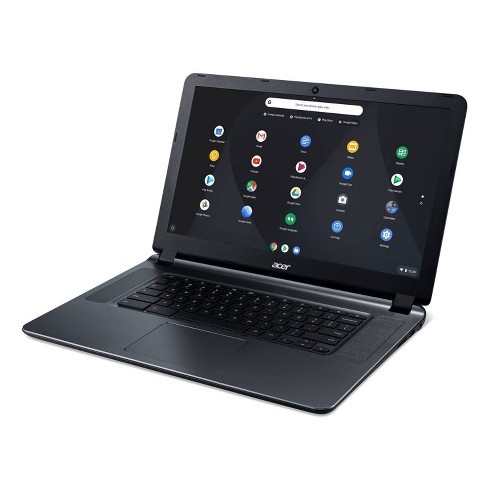
All parents who wish for their student to use an EHMS technology device (chromebook) for school and/or home use, need to login to the ePortal Parent Campus account and digitally sign the “23-24SY Device Acceptable Use/Checkout Agreement”. It is advisable that parents sign this form prior to open house and the first day of school, so that students will have a school issued device as soon as possible.
Below are directions for digitally signing the form.
PLEASE NOTE: You must sign into your Parent Campus eportal from a COMPUTER this school year in order to be able to access this document. You may not see the document if you login via the Campus Parent Phone App.
If a parent logs into the Parent Campus eportal from a computer, goes to the “documents” section and does NOT see the “Student Device Agreement” form, please email cyndi.anicetti@hallco.org (our EHMS Data Clerk) to have this form added to your Parent Campus documents. Include in the email your student’s name/student ID#/grade and the name of the parent accessing through eportal.
While you are on parent portal, in addition to the device form please also go through and read/sign the other forms for 23-24 that are marked “Needs Attention”.
Make sure to select the “23-24” School Year.
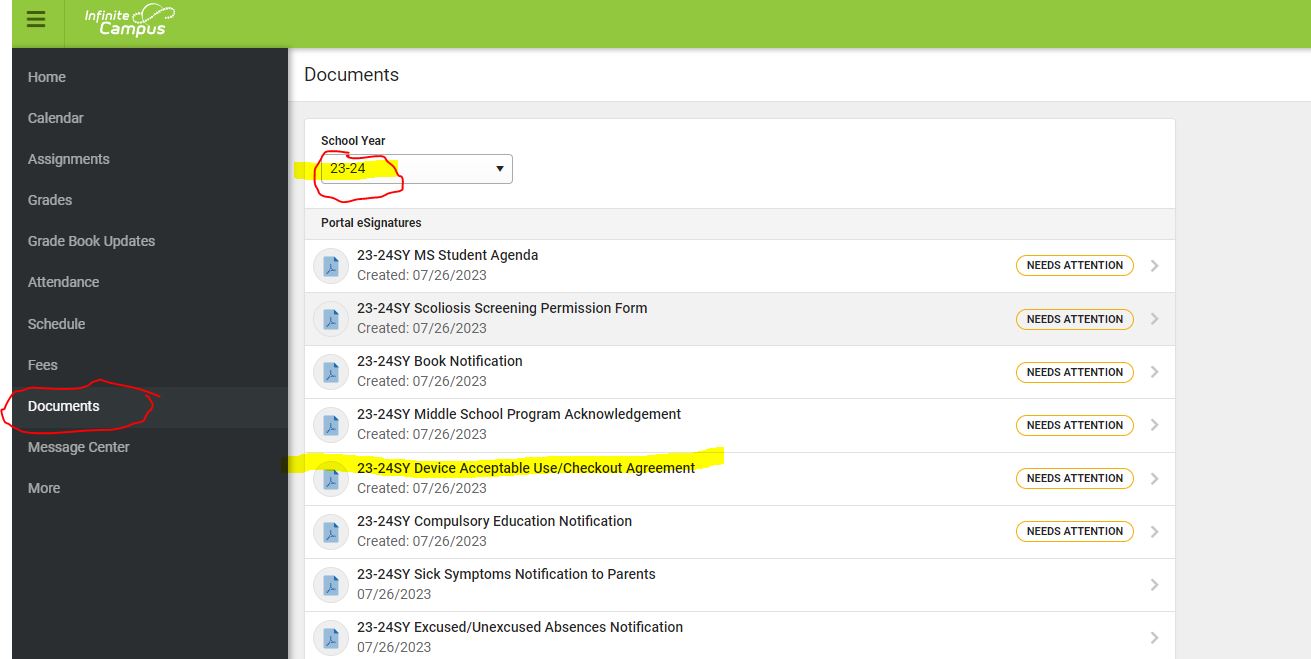
Please see the printable step-by-step directions below or watch directions via video here.
Review a PDF copy of the 23-24SY Device Acceptable Use/Checkout Agreement.
***Espanol***
Ayude a su hijo a estar listo para el primer día de clases. ¡Firme los formularios electrónicos hoy!
Todos los padres que deseen que su estudiante use un dispositivo (laptop) de tecnología de EHMS para uso escolar y/o doméstico, deben iniciar sesión en ePortal Parent Campus account y firmarlo digitalmente el “Acuerdo del uso t aceptación del dispositivo 23-24SY”. Es recomendable que los padres firmen este formulario antes del día de Hopen House y el primer día de clases, para que a los estudiantes se les entreguen un dispositivo lo antes posible.
A continuación, se encuentran las instrucciones para firmar digitalmente el formulario.
TENGA EN CUENTA: debe iniciar sesión en su Parent Campus eportal desde una COMPUTADORA este año escolar para poder acceder a este documento. Es posible que no vea el documento si inicia sesión a través de la aplicación Campus Parent Phone.
Mientras esté en el portal para padres, además del formulario del dispositivo, también revise y lea/firme los otros formularios para 23-24 que están marcados como “necesita atención”.
Asegúrese de seleccionar el año escolar “23-24”.
Instrucciones en español: https://ehms.hallco.org/web/wp-content/uploads/2021/08/Portal-eSignature-Instructions-updated-in-Spanish2021-1.pdf
Instrucciones en Ingles: https://www.hallco.org/web/wp-content/uploads/2021/08/Parent-Form-Instructions-English.pdf
vídeo de ayuda: https://youtu.be/OQ–p5Sv66I
